
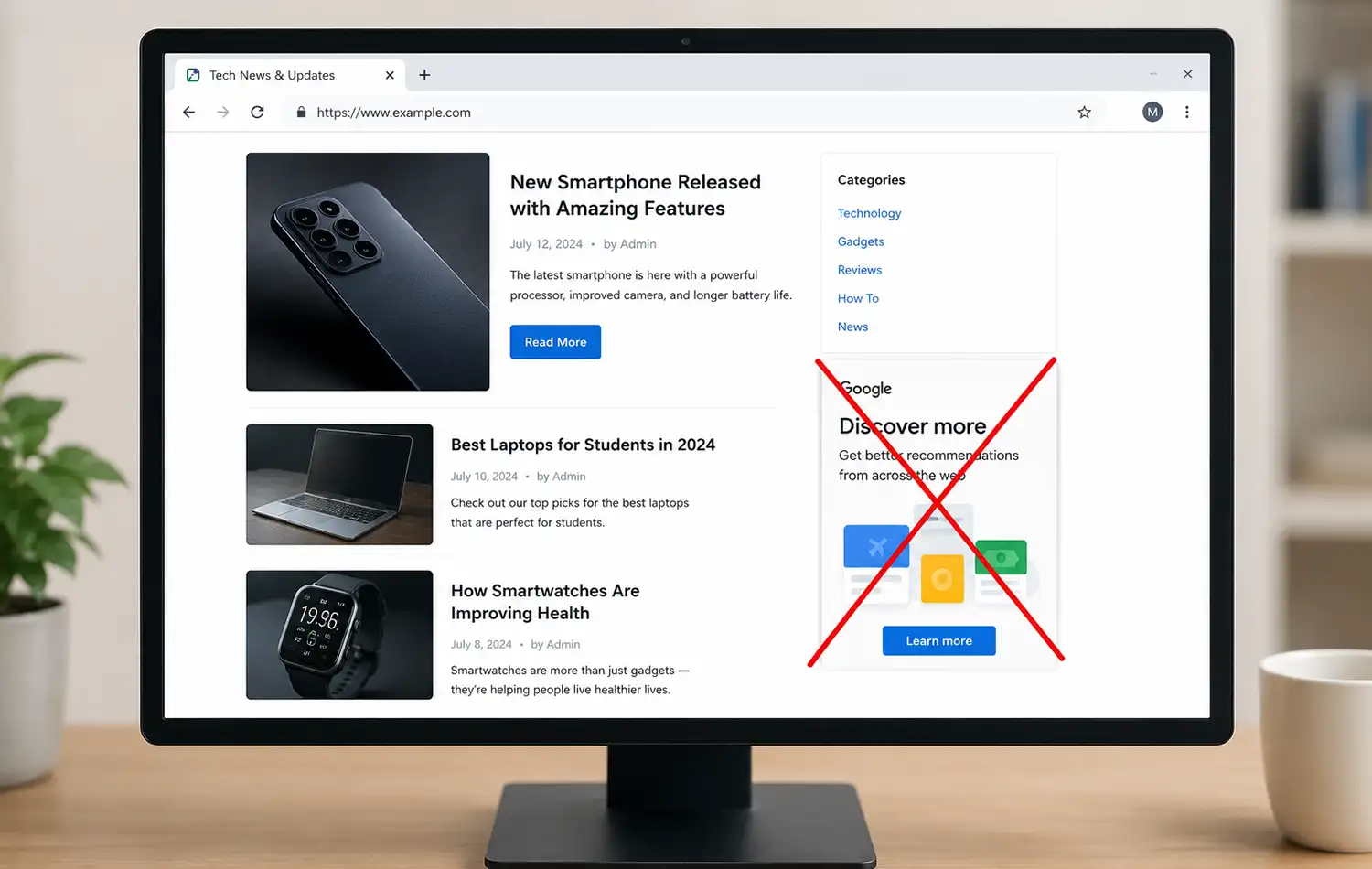
If you have a website, you may have noticed that a “Discover more” block occasionally appears in different places on your pages. Sometimes, red links related to the topic of the article are inserted after paragraphs. When a visitor clicks one of these links, a window opens with a response generated by Gemini (Google’s AI). As a rule, Gemini provides a general description of the topic, and in most cases, the information is of little practical value.
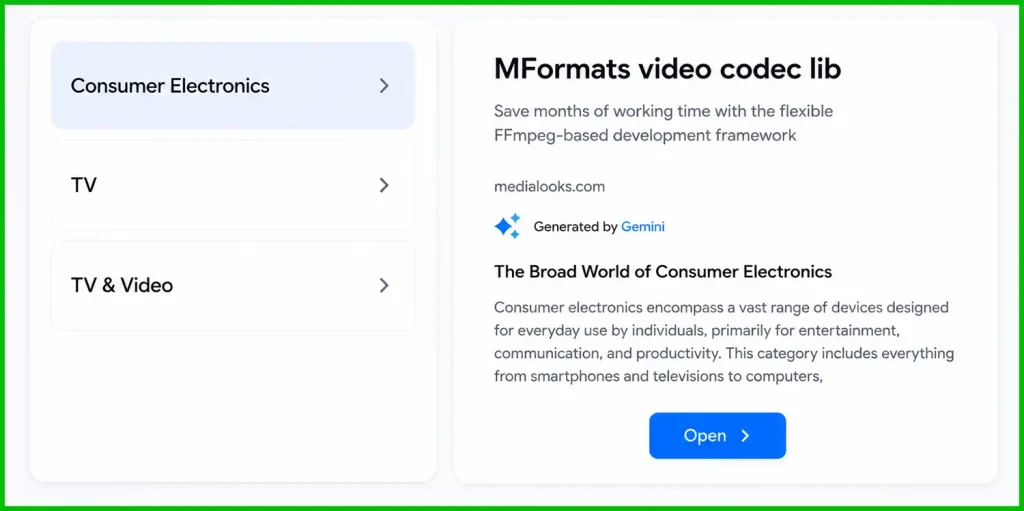
This block is generated by Google AdSense if you use it on your website. According to Google’s documentation, these blocks appear in areas where there is empty space that is not occupied by an advertisement, allowing users to access Gemini content that may include ads. In practice, however, this does not appear to be the case. The main purpose of this block seems to be to encourage users to try Gemini.
Despite Google’s extensive promotion of AI, users who try it often encounter the well-known limitations of current AI systems. In essence, AI analyzes existing information and cannot create new knowledge on its own. As a result, its responses are often generic or lack useful detail. You are also unlikely to find new information through Google Search, since it is now heavily powered by AI, which does not recognize—or simply ignores—queries about new topics until sufficient information about them has appeared online.
The “Discover More” block, as well as all other links that redirect to Gemini, must be disabled in the Google Adsense settings.
Disabling the “Discover More” sections
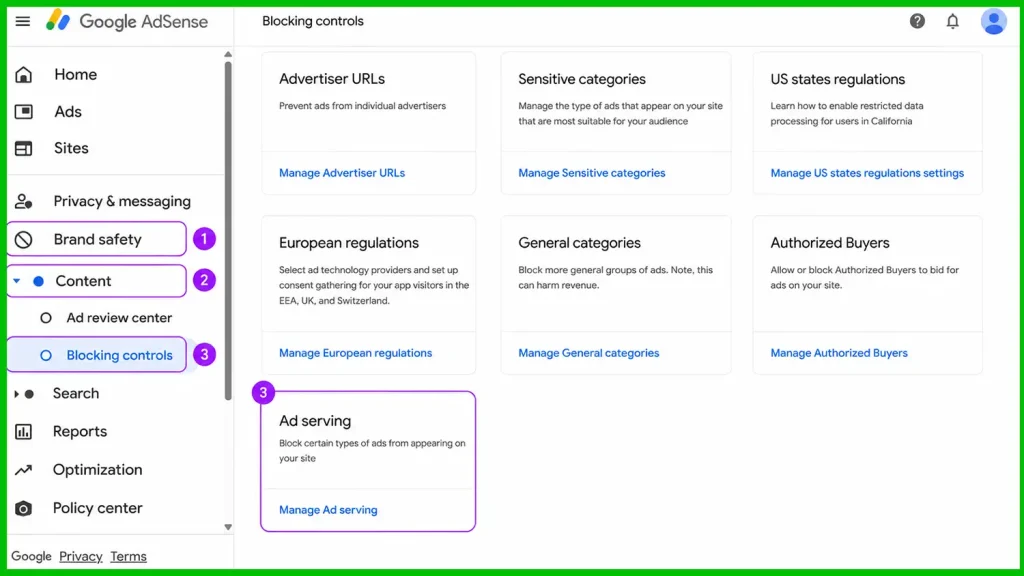
Log in to your AdSense account and look on the left for Brand safety—click it to open a submenu, then click Content to open another submenu, and select Blocking controls.
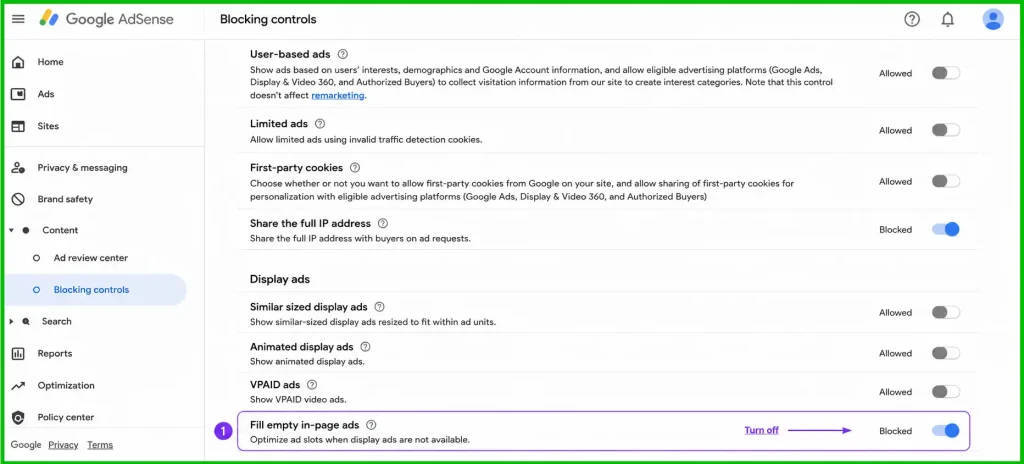
Scroll down and click Manage Ad serving. A new page will open—scroll down to the Display ads section.
In the Display ads section, disable the Fill empty in-page ads feature.
“Discover more” ad units will no longer appear on the page.